WhatsApp AI: How to Batch Messages Before Replying (Part 1)
How to batch the bursts of messages a WhatsApp AI assistant receives: a per-person window, one turn at a time, a hard cap, and a durable inbox.

In this article
Short answer: to stop a WhatsApp AI assistant from replying to every single fragment, wait a few seconds per person (my default is 20), collect everything that arrives in that window, and reply once. There should never be two AI turns running at the same time for the same person, and there has to be a cap so someone who keeps typing still gets an answer. On top of that, messages are written to a database before you acknowledge the webhook, so a restart can't lose them. This is part 1 of a series on running WhatsApp AI in production.
Why batch messages at all?
Because people don't write in paragraphs. They write in bursts:
Hi
quick question
do you have anything Saturday?
afternoon
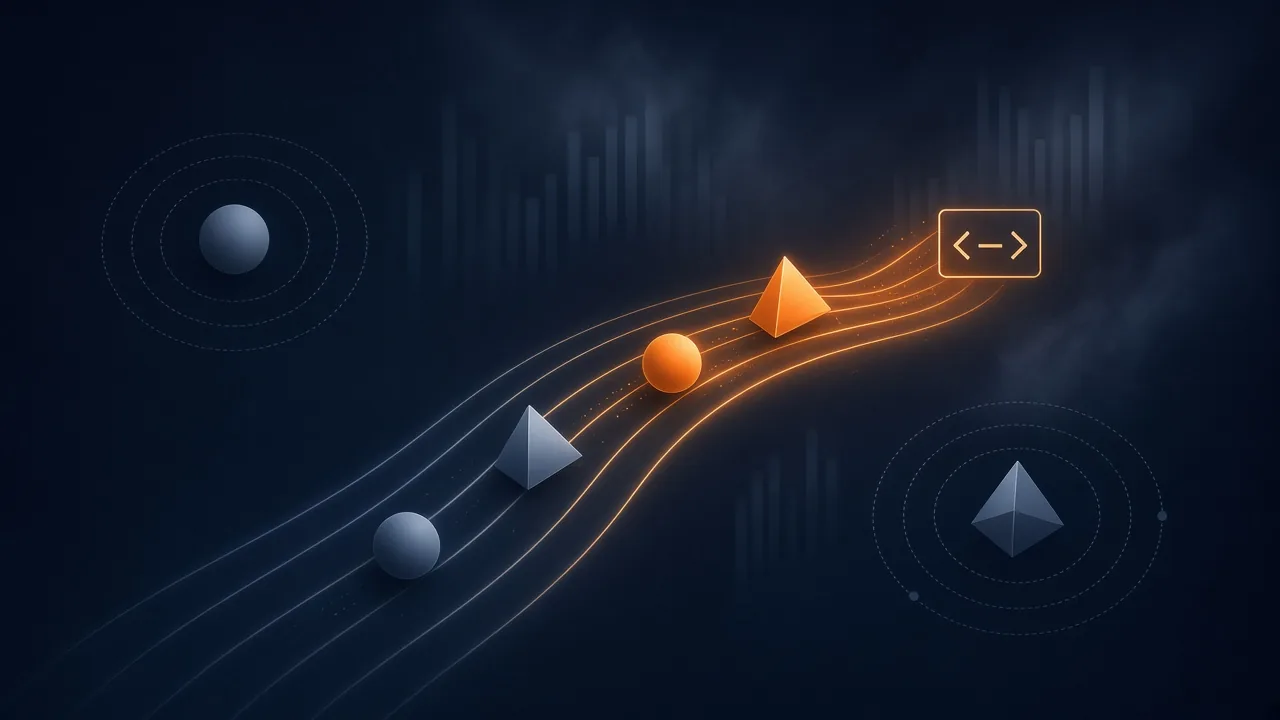
If the assistant answers the first "Hi", it has already missed the real question. If it answers every line, the customer gets four replies that talk over each other, the AI costs four times as much, and the conversation feels robotic. Batching fixes all three: one coherent reply, lower cost, and a more human pace.
How does the per-person window work?
It's a per-conversation debounce. The key is channel plus sender, so every person gets their own window.
- A message arrives: start (or restart) an N-second timer for that person.
- Another one arrives before it fires: add it to the batch and restart the timer.
- The timer fires: send the whole batch to the AI as a single turn.
My default is 20 seconds, configurable between 1 and 300.
type Msg = { from: string; channel: string; text: string; at: number };

const WINDOW_MS = 20_000;
const pending = new Map<string, { msgs: Msg[]; timer?: NodeJS.Timeout }>();

function onMessage(msg: Msg, flush: (key: string, msgs: Msg[]) => void) {
  const key = `${msg.channel}:${msg.from}`;
  const entry = pending.get(key) ?? { msgs: [] };
  entry.msgs.push(msg);
  if (entry.timer) clearTimeout(entry.timer);
  entry.timer = setTimeout(() => {
    pending.delete(key);
    flush(key, entry.msgs);
  }, WINDOW_MS);
  pending.set(key, entry);
}
This first example is for teaching. Further down I explain why keeping everything in memory turned out to be a mistake in production.
What if the person writes while the AI is replying?
The golden rule: never two turns at once for the same person. If the AI is generating a reply and a new message comes in, that message doesn't trigger a second turn in parallel. It waits in line and becomes part of the next batch once the current turn finishes.
Without this rule you get crossed replies: the AI answers two different versions of the same question, or responds to something the customer already corrected.
How do you make sure a nonstop typer still gets an answer?
With a cap. If every message restarts the window, someone who keeps typing can push the reply back forever. So the total wait, measured from the first message in the batch, has a ceiling (60 seconds on my durable path). Past that limit, the batch is processed even if messages are still arriving, and anything new goes into the next batch.
const MAX_WAIT_MS = 60_000;

function dueAt(firstAt: number, lastAt: number): number {
  // Wait one window after the latest message,
  // but never longer than the cap measured from the first.
  return Math.min(lastAt + WINDOW_MS, firstAt + MAX_WAIT_MS);
}
Why store messages before acknowledging the webhook?
Because of a real incident. The first version did exactly what the example above does: an in-memory map and a timer. The server answered Meta with a 200 as soon as a message arrived. Then one day a restart happened inside the waiting window, and the messages held in memory were gone. Meta already had its 200, so it had no reason to resend them. From the customer's side, the assistant simply ignored them.
WhatsApp's official webhook docs spell it out: if your server doesn't return a 200, Meta retries delivery for up to 7 days with decreasing frequency, and that can produce duplicates. In other words, the 200 is your promise that you've taken responsibility for the message. Make that promise before you've stored it, and any restart breaks it.
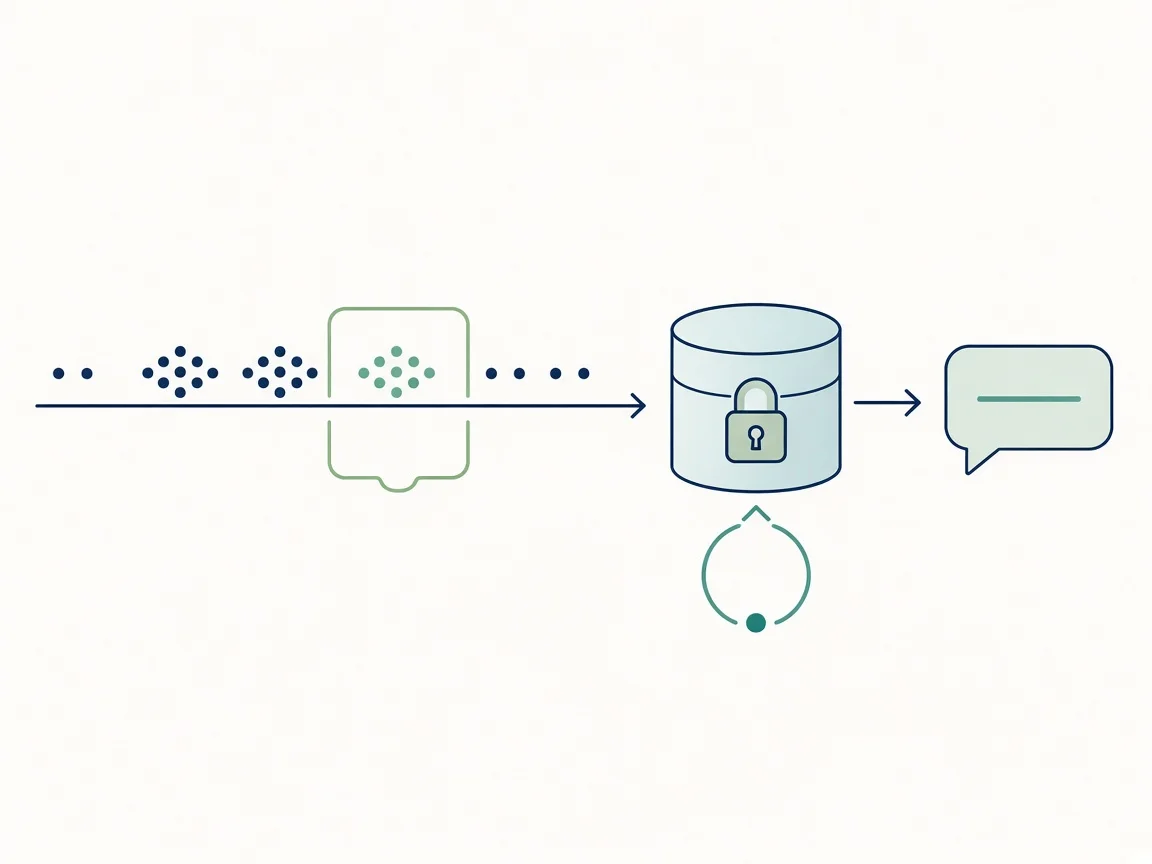
The fix was a durable inbox:
- Store first, acknowledge second. The webhook writes the message to the database and only then returns 200.
- Deduplicate. Since Meta may redeliver, each message has a unique key per channel and external ID, plus a hash of the payload.
- One lock per person. A transactional lock per conversation guarantees that only one worker handles a given batch.
- Keep the order. If an earlier batch for that person is still pending, the new one waits.
- Leases. Whoever picks up a batch "leases" it for 120 seconds and renews every 30 while it works. If the process dies, the lease expires and another worker takes over.
- Retries with backoff. Up to 4 attempts, with the wait doubling each time (5 s, 10 s, 20 s…). After that, manual review.
- Manual review instead of a late answer. If a batch is more than 15 minutes old, it doesn't get an automatic reply; it goes to review. An AI reply that lands a quarter of an hour late and out of context is worse than a human looking at it.
async function claimNextBatch(db: Db, workerId: string) {
  return db.transaction(async (tx) => {
    const batch = await tx.findDueBatch({ now: Date.now() });
    if (!batch) return null;
    await tx.lockConversation(batch.conversationKey); // one lock per person
    if (await tx.hasOlderPendingBatch(batch)) return null; // keep order
    if (Date.now() - batch.firstAt > 15 * 60_000) {
      await tx.markForReview(batch.id, "too_old"); // review beats late
      return null;
    }
    await tx.lease(batch.id, workerId, 120_000);
    return batch;
  });
}

const retryDelayMs = (attempt: number) => 5_000 * 2 ** attempt;
Two more things I learned the hard way. First, limit concurrency: I process at most 5 batches at a time and check the queue every second. Second, on a graceful shutdown I wait up to 10 seconds, and I never release a lease while the AI is still running tools. Release it early and another worker can grab the same batch and reply twice.
Does it hold up in production?
Yes. Over a recent measurement window with the durable path live, 273 messages came in and 354 reply parts went out, every one of them with a delivery receipt from Meta. It's a snapshot of one period, not a benchmark, but it's the proof I cared about: what the system sent actually arrived.
What's coming in parts 2 and 3?
- Part 2: typing indicators and read receipts. How to mark a message as read and show the typing indicator without misleading the user. According to Meta's docs, the indicator is dismissed when you reply or after 25 seconds, and you should only show it if you're actually going to respond.
- Part 3: delivery, retries and the 24-hour window. How to retry sends without duplicating messages, and why you should re-check the customer service window before every send: outside those 24 hours, you can only send templates.
FAQ
How long should the window be? I default to 20 seconds. Aim for a balance between not cutting bursts in half and not making people wait too long, and measure it with your own users.
Isn't in-memory storage good enough? For a prototype, yes. In production, no: any restart inside the window loses messages Meta already considers delivered.
What about duplicate messages? Meta can redeliver a webhook. That's why each message is stored under a unique key and duplicates are dropped.
Why send it to review instead of replying late? Because an out-of-context automatic reply hurts the conversation more than a delay handled by a person.
Sources
- Meta for Developers, Webhooks overview (WhatsApp Business Platform): https://developers.facebook.com/documentation/business-messaging/whatsapp/webhooks/overview/
- Meta for Developers, Messages webhook reference: https://developers.facebook.com/documentation/business-messaging/whatsapp/webhooks/reference/messages
- Meta for Developers, Typing indicators: https://developers.facebook.com/documentation/business-messaging/whatsapp/typing-indicators
- Meta for Developers, Mark messages as read: https://developers.facebook.com/documentation/business-messaging/whatsapp/messages/mark-message-as-read
- Meta for Developers, Send messages (24-hour customer service window): https://developers.facebook.com/documentation/business-messaging/whatsapp/messages/send-messages/
- Meta for Developers, Pricing (customer service window): https://developers.facebook.com/documentation/business-messaging/whatsapp/pricing
- My own experience running AI-powered WhatsApp assistants in production, October 2026.