How I Tripled What I Earn as a Developer Using AI
My real AI workflow as a developer: the problem of paying for AI that doesn't pay off, 3 rules for picking tool, model and effort level, the mistake that burns the most money, and one bounded cost test.

In this article
Short answer: the "3x" is my own rough estimate, based on experience rather than a spreadsheet. What I can describe is where it comes from. On a work call I said this way of organizing my work "could increase productivity by 100%," and on top of that I can now take on more projects at once. I got there by using each AI tool for what it does best, picking the model and effort level to fit the task, and running my work through an orchestrator agent with file-based memory. Today that setup supports more than 30 active clients and about 14,000 AI-handled conversations. Both are approximate figures.
A few days ago I walked two colleagues through this workflow on a long call. This post organizes what I showed them, with my opinions as they are and no hype.
Are you paying for AI that doesn't pay off?
This is the most common problem I see. You pay for one or two subscriptions, use the most expensive model for everything, leave effort maxed out "just in case," and the work still doesn't move any faster. By midweek your plan is drained and you can't tell where it went.
The problem is rarely the AI itself. It's how you use it: one tool for every job, the same model for a simple read and a complex task, and agents working where you can't see them.
What does that problem look like on a real task?
On the call I showed it live, with two tools side by side.
- I asked Codex to look for job openings on a professional network. It opened tabs, moved the cursor on its own, downloaded my résumé as a PDF and kept searching, without asking me to confirm every step.
- Then I gave both tools the same instruction: log in using my saved credentials. Claude refused to type the password. Codex logged in without fuss.
And Claude is the best coding model I use. Where it struggles is controlling the computer: clicking, filling in forms, navigating. It gets stuck there. If Claude were your only tool, you'd conclude "AI can't do this." In reality, you'd just be using the wrong tool for the job.
What does using AI badly actually cost?
More than it looks like, and hardly anyone shows it:
- Maximum effort on tasks that repeat. An expensive model on max, running every hour, can drain your plan in a day.
- The ultra setting.* It starts sending out a swarm of small subagents to check its own work, and costs shoot up.
- The mid-tier model at high effort. In Claude, Sonnet on extra costs almost as much as Opus on extra. If you're going to push effort that high, go straight to Opus.
- Numbers with no cost attached. If someone promises you "10x" without showing what it cost or how long it took, be skeptical. That's exactly the kind of content I try to stay away from.
What got my work in order was three rules.
Rule 1: which tool do I use for which job?
Use each tool for what it's best at.
- Grok Bot is my number one right now, but for social media, not for programming.
- Claude is for programming. In my experience it's the best at writing code, scripts and anything that needs a good eye for design.
- Codex is for computer automation: clicking, filling in forms, navigating and working with more autonomy.
Why not pick just one? Because in my experience, having Claude and Codex together is practically mandatory today: each one covers the other's weak spots. And Google? I can't recommend it for this workflow right now. In my use, they've fallen way behind.
One practical tip: use the desktop apps, not the web version. The web version works in isolation and can't touch your files or your system. The desktop app is the "harness" that gives the model access to your folders, your browser and scheduled tasks.
Rule 2: how do I pick the model and effort level?
Pick the model and effort for the task, not out of habit. Models come in tiers (in the OpenAI family I use: Luna, Sol and Astra, from cheapest to most capable), and each has a reasoning effort setting: medium, extra, max, ultra.
My recipe, as personal opinion:
- General work (research, creating files, follow-ups): the middle model, Sol, on medium. If that's not enough, extra. Medium saves the most.
- Never max or ultra for everyday work.
- Luna only for basic, repetitive reading. It's the cheapest, but also the least capable.
- In Claude: Sonnet on medium or extra for general work, and Opus when the task genuinely needs it.
- For writing code directly: Opus, medium for everything and xhigh when it has to think hard.
- For anything that acts on its own: always the latest, most capable model. Cheaper models carry more risk.
Rule 3: how do I organize the work with an orchestrator?
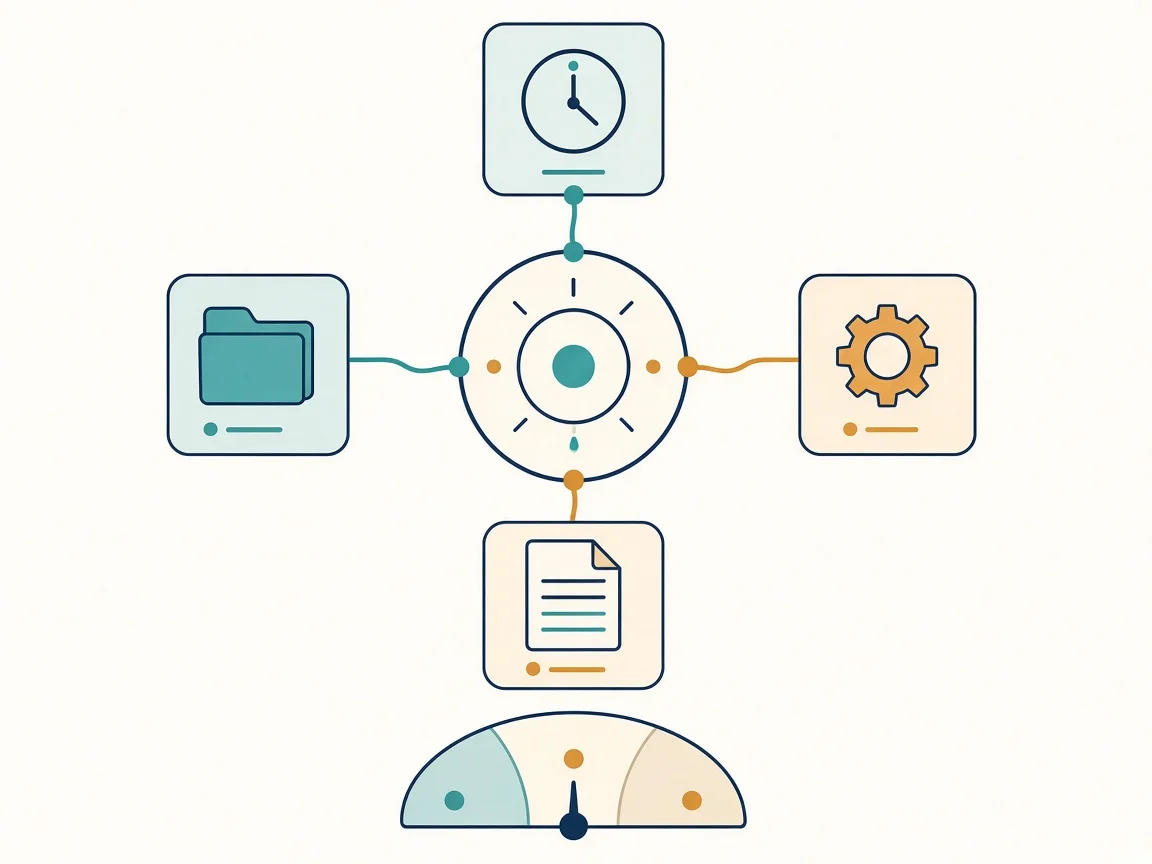
An orchestrator that doesn't do the work itself, visible threads, scheduled tasks and file-based memory. For me, this is the key to the whole workflow: it's the recommendation that, as I said on the call, "could increase productivity by 100%."
- Install the desktop apps and turn on their capabilities: computer control, browser control and the matching extension.
- Open the agent in your user folder, not inside a project. From the root it can see all your projects. Start by asking it for an inventory of what's there.
- Set up an orchestrator. It's a chat you feed your goals and your businesses to, and it doesn't do the work itself: it launches other chats. Ask it to create visible threads, not subagents. What's the point of a subagent you can't talk to?
- Schedule recurring tasks. For example, a weekly summary of your email and messages, or a trends roundup every morning. In my experience, it's best to leave the computer on and the app open so they run.
- Give it physical memory. Have the agent create its own log and memory files. That way it doesn't matter how many times the context gets compacted.
- Move chats with a file. Ask "create a file with this whole conversation" and upload it to the new chat.
- Keep credentials in an environment file, never pasted into the chat. Models refuse, rightly, to use a password you paste into the conversation.
- Ask for an interview with options. Before a big task, say "interview me with options." That way you make the decisions and the AI doesn't take liberties.
Which mistake burns the most money?
I don't have a story with an exact dollar figure for you, and I'm not going to make one up. What I do have are the two mistakes I walked through on the call, because they're the fastest way to drain a plan.
First: an expensive model on a task that repeats. The example I gave was this: set up a scheduled task on Astra at max and tell it to wake up every hour and check which WhatsApp messages came in, and within about a day the limit is gone. Give that same task to Luna and it barely uses anything.
Second: picking up yesterday's chat without compacting it. This one I showed on my own screen: a chat with 65% of its context used, about 651,000 tokens. If I type "hi" as is, it reloads all of that context and it comes out of my usage. If I compact it first, the conversation drops to roughly 100,000 tokens, and only then do I give it the instruction.
The fix, in one line: recurring work goes to a cheap model or medium effort, anything you return to gets compacted first, and anything important lives in memory files.
Other mistakes worth avoiding:
- Invisible subagents. If you can't see them, you can't correct them.
- Pasting keys into the chat. Use an environment file.
- Getting your news only from short videos. New releases show up on X first. On other platforms, a lot of it is pure hype.
What does it really cost, and how long does it take? My bounded test
So I wouldn't be talking from memory, I ran my own test: the same prompt (a small car game) on three models.
| Model | Time | Cost |
|---|---|---|
| Astra | 5 min 50 s | USD 1.14 |
| Kimi | 34 min 42 s | USD 1.21 |
| Opus | 17 min 4 s | USD 3.10 |
It's a single run with a single prompt, not a benchmark. But it shows something a lot of videos leave out: cost per task and time matter as much as the score. Kimi is fine, but there's a lot of hype around it. Hardly anyone shows how long it takes or what it costs to get those results.
Where does the "3x" come from?
I don't have an exact number, and I'd rather say so plainly. I'm not going to make up rates or hours. Here is what I actually see:
- With the orchestrator, visible threads and scheduled tasks, agents handle the repetitive work. How much that adds up to is my own rough estimate, not a measurement.
- One of the two colleagues summed it up afterwards his own way: he felt he'd gone "from a ten to a twenty." Those are his words, not mine.
- Because the repetitive work no longer depends on me, I can keep more projects running in parallel without quality slipping.
- More projects with less friction means, in my case, income I estimate at close to triple. That's a personal estimate, not a promise or a formula.
Why do I call this anti-hype?
Because everything above could change within a month, and I mean that literally. Model names, prices and which tool is ahead change constantly. What doesn't change is the method: measure cost per task, pick the model for the job, stay in control of what your agents do, and distrust any number that doesn't come with its cost and its time.
My numbers are approximate and I present them that way: more than 30 active clients and about 14,000 AI-handled conversations. They're not a promise. They're my experience.
If this was useful, follow me for more: I share how I work with AI, costs and timings included.
FAQ
Is the "3x" an exact figure? No. It's a personal, approximate estimate based on what I notice in my own productivity, plus taking on more projects. I don't publish rates or hours.
Do I need to pay for several subscriptions? In my experience, if you're serious about coding and automation, it's worth having both Claude and Codex. Start with one, note which tasks it handles badly, and add the other when that justifies it.
What effort level do I use by default? Medium. I go up to extra or xhigh only when the task calls for it, and I never leave ultra or max on tasks that repeat on their own.
Is this useful if I don't code? The orchestrator, scheduled tasks and memory parts work for any office job. The coding part, obviously, is for people who write code.
Sources
- My own working call with two colleagues, October 19, 2026 (internal notes and transcript, not public).
- My own cost and time test, same prompt on three models, October 2026.
- The author's opinions and approximate figures, current as of October 24, 2026.
- Note: each tool's capabilities and pricing are described as personal experience; check each vendor's official documentation before deciding.